
FileMaker Pro Training Courses
FileMaker Pro Series
Avantix Learning offers one and two-day FileMaker Pro courses at the introduction, intermediate and advanced levels.
Learn keyboard shortcuts, quick tips and tricks while learning to create and edit tables, fields, layouts, find requests calculations and reports. In the intermediate course, students will learn to create advanced layouts/reports with summaries and sub-summaries, calculations using functions, relationships and portals as well as simple scripts with buttons. More experienced users can start automating FileMaker in the Introduction to Scripting course.
Attend a public course at our downtown Toronto location or arrange a custom course at your site or ours as instructor-led classroom (ILC) or, for remote users, as virtual classroom (VC) courses.
UPCOMING COURSES
FileMaker Pro: Introduction | May 31, 2019

Looking for custom training? Contact us to arrange custom training at your site or ours.
Check out our blog for tips, tricks and shortcuts.
FileMaker Pro Learning Path

Just getting started? Novice users can start with our FileMaker Pro: Introduction course.

Learn core competencies in our FileMaker Pro: Intermediate course.

Take your skills to the next level in our FileMaker Pro: Introduction to Scripting course.

We're developing new courses at this level. Check back soon.
Register Now for a public course at our downtown Toronto location at 1 Yonge Street, Suite 1801 (Toronto Star Building), Toronto, Ontario, Canada.
To request this page in an alternate format, contact our staff.
Copyright 2026 Avantix® Learning

On-site training
Register now for a public scheduled course or contact us to discuss custom on-site or off-site training options.
Related training
Microsoft Excel: Intermediate / Advanced
Microsoft Excel: Data Analysis with Functions, Dashboards and What-If Analysis Tools
Microsoft Excel: Introduction to Visual Basic for Applications (VBA)
You may like
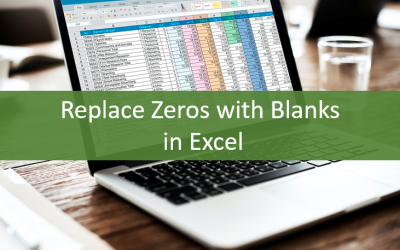
How to Replace Zeros (0) with Blanks in Excel
There are several strategies to replace zero values (0) with blanks in Excel. If you want to replace zero values in cells with blanks, you can use the Replace command or write a formula to return blanks. However, if you simply want to display blanks instead of zeros, you have two formatting options – create a custom number format or a conditional format.

What is Power Query in Excel?
Power Query in Excel is a powerful data transformation tool that allows you to import data from many different sources and then extract, clean, and transform the data. You will then be able to load the data into Excel or Power BI and perform further data analysis. With Power Query (also known as Get & Transform), you can set up a query once and then refresh it when new data is added. Power Query can import and clean millions of rows of data.
YOU MAY ALSO LIKE
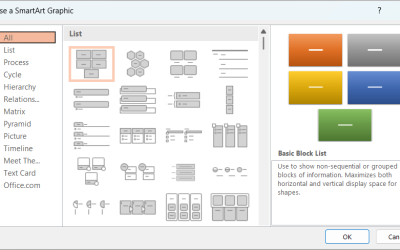
How to Insert SmartArt in PowerPoint (5 Ways)
SmartArt graphics are pre-defined graphics that are treated as one object and follow the document theme, font theme and color theme unless a user manually changes the font and font and shape colors. SmartArt graphics are also "smart" in several ways such as resizing other components if a new shape is added and changing font size. You can insert SmartArt in several ways in PowerPoint. SmartArt objects are typically inserted on PowerPoint slides in Normal View.
How to Print a Word Document Without Comments
If you or another user have added comments in a Word document, you may want to print the document without comments. By default, when you print a Word document, comments are printed as well. There are a few ways you can print a Word document without printing the comments – hide the comments or change print settings. If you use either of these strategies, the comments are not deleted.

How to Cut, Copy and Paste Text in Word (5 Ways with Shortcuts)
In this guide, we'll cover 5 ways to cut, copy and paste text in Microsoft Word. A common method is to use keyboard shortcuts but you can also use the Ribbon, the context menu and a few hidden tools as well. After you paste your text, you can choose paste options such as Keep Text Only.
FileMaker, FileMaker Go and the file folder logo are registered trademarks of FileMaker, Inc. in the U.S. and other countries. Mac and the Mac logo are trademarks of Apple Inc. registered in the U.S. and other countries. Microsoft and Windows are registered trademarks of the Microsoft Group of Companies. All other trademarks are the property of their respective owners.